Let’s be honest—modern refrigerators do everything except make your morning coffee. Between smart displays, Wi-Fi connectivity, water filters, and humidity-controlled drawers, you’d think ice-making would be the least of your worries. But here you are, standing in front of your Samsung fridge, wondering why your glass is half full… of disappointment.
If your once-reliable fridge has stopped serving those satisfying cubes of frozen water, you’re not alone. This article’s for all the folks who’ve jiggled the ice bin, pressed the reset button more times than they can count, and are still wondering why their Samsung refrigerator not making ice is suddenly a thing.
It’s Not Just You: Samsung Ice Maker Woes Are Common
First things first: take a breath. It’s frustrating, but it’s also incredibly common.
Samsung refrigerators are sleek and smart—but their ice makers? Notorious for being a bit… moody. If you’re experiencing ice-making issues, chances are it’s something simple that can be resolved with a little troubleshooting—and maybe a bit of patience.
Let’s walk through the possibilities, the fixes, and when to throw in the towel (or the ice scoop).
The Basics: Start With the Obvious Stuff
It sounds silly, but sometimes the simplest fix is the one we overlook.
Double-check that the ice maker is actually turned on. Most Samsung models have a small button or touch panel labeled “Ice Maker” or “Ice Off.” It might’ve been accidentally pressed while you were organizing groceries or wiping down the panel.
Next, check the water line. If your fridge isn’t getting water, it sure as heck isn’t making ice. Make sure the water valve behind the refrigerator is open, the line isn’t kinked, and there aren’t any visible leaks.
Still no luck? Don’t worry, we’re just getting started.
Hit the Reset Button—Literally
Most Samsung fridges have a reset button near the ice maker tray. You may need to remove the ice bucket to see it. Press and hold it for about 10 seconds until you hear a chime. That’s the fridge telling you it’s trying to restart the ice-making cycle.
Give it a few hours. If your Samsung fridge ice maker not working still after a reset, it could be due to internal frost buildup or sensor issues.
Pro tip? Don’t keep resetting it repeatedly. That can overload the system and potentially make the problem worse. One reset. Wait it out.
Temperature Matters More Than You Think
Ice doesn’t just appear—it needs a properly cooled environment to form. Your freezer should be set at or below 0°F (-18°C). If it’s too warm, the ice maker won’t function properly. But too cold? You run the risk of frozen components, like the fill tube or fan, which can also stall production.
If your fridge is crammed full, it could be affecting air circulation. Rearrange your freezer, leave some breathing room, and see if that helps get things moving again.
Water Filter Clogs: The Hidden Ice Blocker
Here’s the underrated villain of the ice-making story: the water filter.
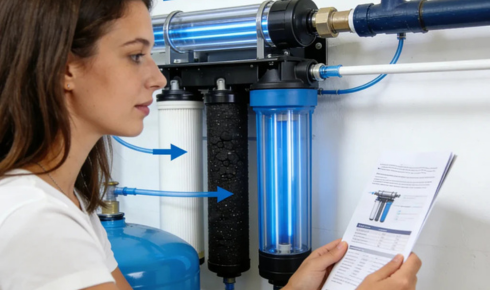
Samsung recommends changing the filter every 6 months, but in homes with hard water or high sediment, it may need replacing even sooner. A clogged filter reduces water pressure, and low pressure equals no ice.
Some Samsung fridges will flash a light when it’s time to replace the filter. But others? They stay silent. If your filter is more than a few months old, consider swapping it out even if it looks “fine.” It’s a small price to pay for a working ice tray.
Frozen Over (and Not in a Good Way)
Let’s say you’ve done the resets, the filters, the temp checks… and still, your Samsung fridge not making ice like it used to.
There’s a high chance your ice maker is frozen—literally. Internal components can frost over due to poor sealing, moisture infiltration, or a flawed defrost cycle. The back of the ice maker may look like a tiny glacier is forming.
Here’s where “Force Defrost Mode” might come in handy. Look up your model’s button combo (usually pressing and holding the fridge and energy saver buttons) to activate a defrost cycle. Be prepared for some clicking, humming, and even a little dripping as the ice thaws.
Don’t want to mess with settings? A hair dryer—used carefully and at a distance—can help melt visible ice build-up without damaging plastic parts. Just be gentle.
Mechanical Fails: When It’s Beyond DIY
If you’ve ruled out all the above and you’re still living that ice-free life, it may be a mechanical failure—something you can’t fix with a button press or YouTube video.
The motor that rotates the tray, the sensor that detects cube levels, or even the circuit board that controls it all could be faulty. If your fridge is under warranty, reach out to Samsung support before calling a local tech.
Even out-of-warranty? Samsung sometimes offers extended repairs on known-issue models. It’s worth a shot.
Should You Bother Fixing It… or Just Buy a Tray?
Let’s be real. If you’ve spent weeks troubleshooting and your ice maker still isn’t doing its job, it might be time to reassess. Buying an inexpensive silicone tray and manually making ice isn’t glamorous—but it works. No sensors. No error codes. No surprise frost storms in your freezer.
It might not be the solution you want, but sometimes it’s the most practical one—especially if you’re saving up for your next appliance upgrade.
When to Call a Pro
If you’re out of ideas (or patience), a qualified technician can help. They’ll run diagnostics, check electrical connections, and inspect the evaporator coils.
The average repair for a Samsung ice maker can run anywhere from $100 to $300, depending on the issue and whether any parts need replacing. Get an estimate, and weigh it against the age of your fridge. If your unit’s pushing 10 years old, it might be smarter to invest in a new one than keep throwing cash at a temperamental part.
Final Thoughts: Don’t Let It Melt Your Cool
Yeah, it’s annoying. Ice makers should just work. But like any modern tech, even your fridge can throw a tantrum now and then.
Still, most of these issues are fixable—from simple resets and filter swaps to more involved repairs. Understanding what’s going on helps you feel more in control—and less like you’re at the mercy of a temperamental kitchen appliance.